Guide
Kill all the stuck Node processes on your Mac (without nuking your editor)
July 20, 20264 min read
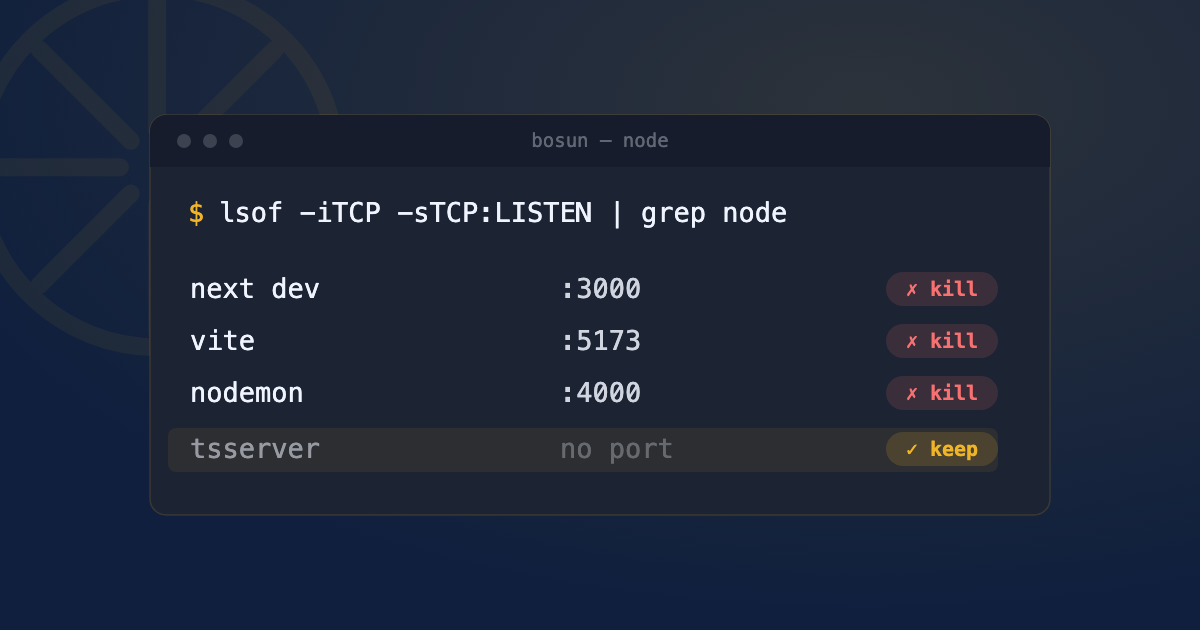
You’ve been hopping between projects all day. A next dev here, a vite there, a nodemon watcher, maybe an Expo server. Terminals crashed, tabs got closed, the laptop slept and woke up. Now the fans are spinning, npm run dev says the port is taken, and Activity Monitor shows a dozen node entries you don’t recognize.
You want them gone. The trick is getting rid of the stuck ones without killing the Node processes you actually need.
Why you end up with a pile of orphaned Node processes
Every dev server is a long-lived node process holding a port and a chunk of RAM. Closing the terminal tab doesn’t reliably kill it: npm run dev spawns a child node process, and if the parent shell goes away uncleanly the child gets reparented to launchd and keeps running. A hard crash, a Ctrl+Z (which suspends instead of killing), or a sleep/wake cycle can all leave a server bound to its port with nothing obvious pointing at it. Do that a few times across a few projects and they stack up.
Step 1: see what you’re actually dealing with
The blunt view is every node process:
ps aux | grep -i nodeThat’s noisy, though. It also lists your editor’s TypeScript/ESLint language servers, any MCP servers, and background tooling that happens to be Node. The list you actually care about is the ones holding a port:
lsof -iTCP -sTCP:LISTEN -P -n | grep -i nodeThis shows only Node processes in a LISTEN state, i.e. dev servers. The columns that matter are the second one (PID) and the last one (the address, so you can tell :3000 from :5173).
Step 2: know the blunt hammer, and why it’s dangerous
You’ll see this recommended everywhere:
killall nodeIt kills every process named node, in one shot. That’s the problem. It also takes out your editor’s language servers (hello, red squiggles everywhere), any running MCP servers, a background worker you forgot about, and an app you might actually be using. pkill -f node is even broader, it matches the whole command line, so it’ll catch things killall misses and things you didn’t mean.
Reach for killall node only when you genuinely want every Node process dead and you’re fine restarting your editor.
Step 3: kill the stuck servers, not everything
Most of the time you want to be surgical. Kill one server by its port:
lsof -ti :5173 | xargs kill-t makes lsof print just the PID, and xargs feeds it to kill. Prefer plain kill (SIGTERM) first so the process can shut down cleanly; only escalate to kill -9 (SIGKILL) if it refuses to die. (The full SIGTERM-vs-SIGKILL story is in Port 3000 already in use on your Mac.)
If you want to clear all the dev servers but spare the language servers and other tooling, kill only the Node processes that are actually listening:
lsof -iTCP -sTCP:LISTEN -P -n | grep -i node | awk '{print $2}' | xargs killThat one-liner is the safer version of killall node: a non-listening Node process (like your editor’s TypeScript server) is left alone, and only the port-holding servers get the signal.
Why closing the terminal didn’t kill it
Because the thing you closed usually isn’t the server. npm run dev (or yarn/pnpm) is a wrapper that launches the real node process as a child. Depending on your shell and settings, closing the tab can leave that child orphaned rather than terminated. Tools like nodemon add another twist, they’re designed to respawn on file changes, so a half-killed watcher can bring its child right back. Killing by port sidesteps all of this: you’re targeting whatever holds the socket, regardless of how it was started.
Quick FAQ
How do I kill all Node processes except one?
List the listeners with lsof -iTCP -sTCP:LISTEN -P -n | grep -i node, note the PID of the one you want to keep, and kill the rest by PID or by port. There’s no clean “all but one” flag, so it’s a see-then-pick job, which is exactly why a visual list beats a blind killall.
killall node says “No matching processes”?
The process isn’t literally named node. A Docker-published port shows up as com.docker.backend (see Docker: bind: address already in use), and some runtimes report a different binary name. Find it by port with lsof -i :PORT instead.
Does this work for Bun or Deno?
Yes. Swap the name in the grep (bun, deno) for the process view, or ignore the name entirely and kill by port, the port-based commands don’t care what runtime is behind the socket.
Will this kill my editor’s language server?
killall node and pkill -f node will. The per-port and listening-only commands above won’t, because language servers don’t hold a listening TCP port the way a dev server does.
See this instead of typing it
Bosun lives in your menu bar and shows every open port on your Mac, live, mapped to the process behind it. One-click kill, SIGTERM first. Useful the first time this happens. Genuinely useful the fifth time it happens in one afternoon.